

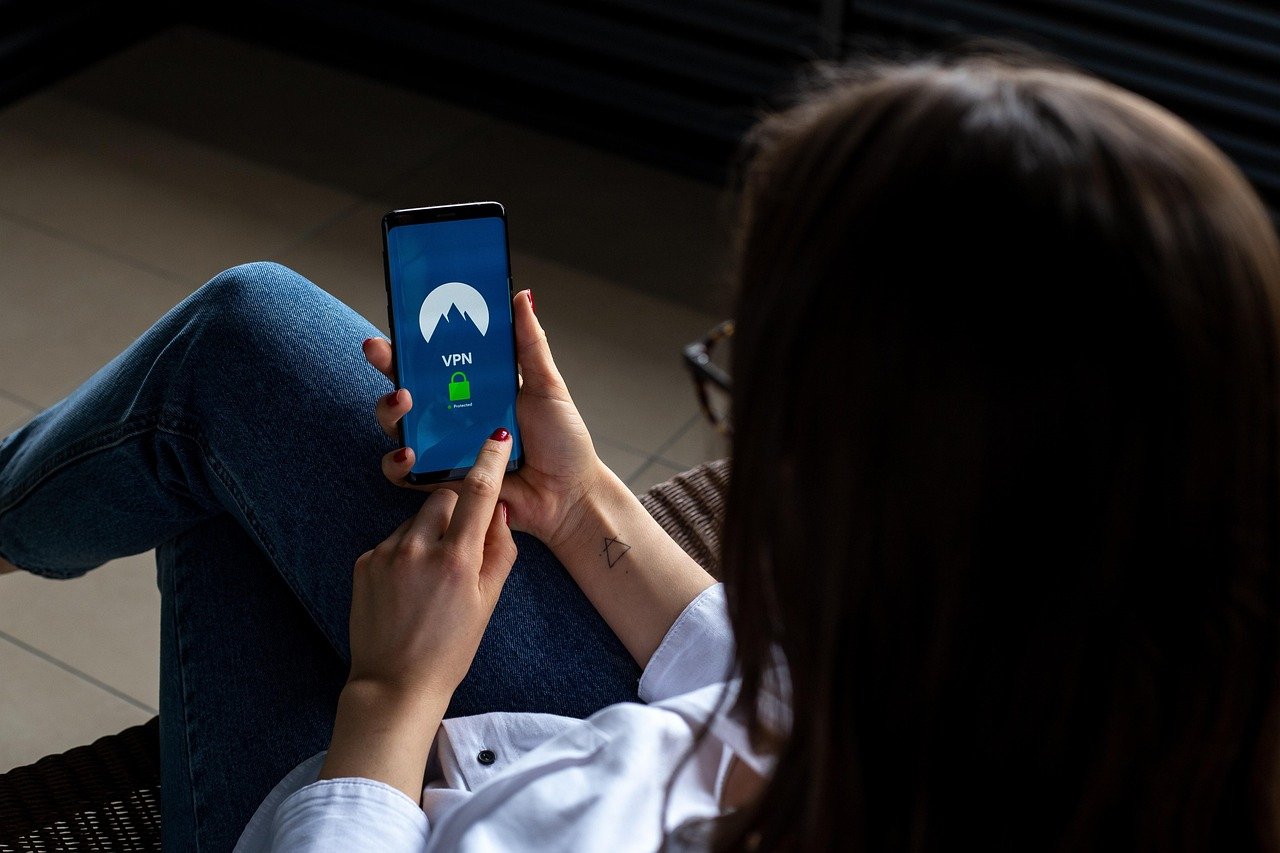
As we increasingly rely on our mobile devices for daily tasks, from online banking to social media, protecting them from cyber threats has become a top priority.
In today’s digital landscape, cybercriminals are constantly evolving their tactics to exploit vulnerabilities in mobile devices.
To stay ahead of these threats, it’s essential to adopt best practices for mobile security. This includes being aware of the latest threats and taking proactive measures to safeguard your device.
Key Takeaways
- Understand the importance of mobile security in today’s digital age.
- Learn how to identify potential cyber threats to your mobile device.
- Discover best practices for securing your mobile device.
- Stay up-to-date with the latest mobile security updates and patches.
- Implement effective measures to protect your personal data on your mobile device.
The Growing Mobile Security Threat Landscape
The growing reliance on mobile devices has led to a surge in mobile security threats, making robust security measures essential. As our dependency on smartphones increases, so does the attack surface for cybercriminals.
Current Statistics on Mobile Security Breaches
Recent statistics highlight the alarming rate of mobile security breaches. For instance, a significant percentage of mobile devices are vulnerable to attacks due to outdated operating systems. Key statistics include:
- A rise in malware attacks targeting mobile devices
- Increased instances of unauthorized access to personal data
- A surge in phishing attempts via SMS and emails
Why Smartphones Are Prime Targets for Cybercriminals
Smartphones are attractive targets for cybercriminals due to the wealth of personal and financial information they contain. Factors contributing to their vulnerability include:
- The use of weak passwords or lack of lock screen security
- Installation of malicious apps from untrusted sources
- Connecting to unsecured public Wi-Fi networks
To mitigate these risks, understanding how to secure your mobile phone is crucial, especially when it comes to mobile security for online banking.
Essential Mobile Security Tips for Everyday Protection
With the rise of mobile technology, protecting your device from various threats has become a critical aspect of digital hygiene. As we increasingly rely on our smartphones for both personal and professional activities, the need to secure these devices against cyber threats has never been more pressing.
Fundamental Security Practices for All Users
To ensure your mobile device remains secure, adopting fundamental security practices is crucial. First, using a strong password or PIN is the first line of defense against unauthorized access. Additionally, enabling two-factor authentication (2FA) whenever possible adds an extra layer of security. Regularly updating your device’s operating system and apps is also vital, as updates often include patches for security vulnerabilities.
Another key practice is being cautious with app downloads. Only downloading apps from trusted sources like the Apple App Store or Google Play Store can significantly reduce the risk of installing malicious software. Furthermore, reviewing the permissions requested by apps before installing them can help prevent unnecessary data exposure.
Common Security Vulnerabilities to Address
Despite best efforts, mobile devices can still be vulnerable to certain security threats. One common vulnerability is the use of public Wi-Fi networks for sensitive activities. Public Wi-Fi is often unsecured, making it easier for hackers to intercept data. Using a Virtual Private Network (VPN) can help mitigate this risk by encrypting your internet connection.
Another significant threat is phishing attempts through SMS or emails. Being cautious with links and attachments from unknown sources can prevent falling victim to phishing scams. It’s also beneficial to use security software that can detect and block malicious activities.
| Security Practice | Benefit |
|---|---|
| Using Strong Passwords/PINs | Prevents unauthorized device access |
| Enabling Two-Factor Authentication | Adds an extra layer of security |
| Regular OS and App Updates | Patches security vulnerabilities |
| Caution with App Downloads | Reduces risk of malicious software |
| Using VPN on Public Wi-Fi | Encrypts internet connection |
Securing Your Device with Strong Authentication Methods
In today’s digital age, securing your mobile device is more crucial than ever, and one of the most effective ways to do this is through strong authentication methods. As we increasingly rely on our smartphones for sensitive information and transactions, the need for robust security measures has never been more pressing.
Advanced Lock Screen Security Options
One of the first lines of defense in mobile security is the lock screen. Advanced lock screen security options include pattern locks, PINs, and passwords. These methods provide a basic yet effective barrier against unauthorized access. For enhanced security, it’s recommended to use a combination of characters, numbers, and special characters for passwords.
Biometric Security: Benefits and Limitations
Biometric security methods, such as fingerprint scanning, facial recognition, and iris scanning, offer a more advanced level of security. These technologies provide convenience and a higher level of security compared to traditional lock screen methods. However, they are not without limitations. For instance, biometric data can be vulnerable to spoofing attacks, and there’s also the concern about privacy and data storage.
“Biometric authentication is not just about security; it’s also about convenience and user experience.” — Expert in Mobile Security
Implementing Two-Factor Authentication
Two-factor authentication (2FA) adds an extra layer of security by requiring not just a password or biometric data but a second form of verification, such as a code sent via SMS or a biometric scan. Implementing 2FA can significantly reduce the risk of unauthorized access to your device and sensitive information. It’s a simple yet effective mobile security tip that can be applied to various apps and services.
By combining these strong authentication methods, users can significantly enhance the security of their mobile devices, protecting their personal data and reducing the risk of cyber threats.
Managing App Permissions and Privacy
As mobile devices become increasingly integral to our daily lives, managing app permissions and privacy is crucial for maintaining mobile security. Mobile apps often require various permissions to function properly, but granting excessive permissions can compromise user privacy and security.
Understanding and Controlling App Permissions
To manage app permissions effectively, users should review the permissions requested by each app before installation. It’s essential to understand what data the app will access and whether the permissions are justified by the app’s functionality. For instance, a flashlight app should not require access to contacts or location services. Users can control app permissions through their device’s settings menu, where they can review and adjust the permissions granted to each app.
- Review app permissions before installing.
- Understand the data accessed by each app.
- Adjust permissions in device settings.
Identifying and Removing Malicious Applications
Identifying malicious apps involves being cautious about the apps you download and monitoring their behavior. Users should be wary of apps with poor reviews, grammatical errors, or those that request unnecessary permissions. Regularly reviewing installed apps and removing any that are no longer used or seem suspicious is a good practice. Additionally, keeping the operating system and apps updated is crucial, as updates often include patches for security vulnerabilities.
- Check app reviews and ratings.
- Be cautious of apps with grammatical errors.
- Monitor the permissions requested by apps.
Safe Browsing Practices on Mobile Devices
Mobile devices have become a primary gateway to the internet, making safe browsing practices essential for security. As users increasingly rely on their smartphones for various online activities, from banking to social networking, the risk of encountering cyber threats grows. Therefore, understanding how to navigate the digital landscape safely is crucial.
Detecting and Avoiding Phishing Attempts
Phishing attempts are a common threat to mobile security. To avoid falling prey, users should be cautious with emails and messages that request sensitive information. Legitimate organizations never ask for passwords or financial details via email or SMS. Users should verify the authenticity of such requests by contacting the organization directly.
“Be cautious with unsolicited emails and messages; they might be phishing attempts,” as cybersecurity experts often advise.
Secure Browser Settings and Extensions
Configuring browser settings is a critical step in enhancing mobile security. Users should enable features like pop-up blockers and private browsing modes. Additionally, installing reputable security extensions can provide an extra layer of protection against malicious websites.
Protecting Yourself on Public Wi-Fi Networks
- Avoid accessing sensitive information on public Wi-Fi.
- Use a VPN to encrypt your internet connection.
- Keep your device’s operating system and apps updated.
Mobile Security for Online Banking and Financial Transactions
Conducting financial transactions on mobile devices requires a robust understanding of mobile security measures. As the use of mobile banking and financial apps continues to grow, so does the importance of securing these activities.
“According to a recent survey, a significant majority of users are concerned about the security of their financial information on mobile devices.”
Security Features to Look for in Financial Apps
When selecting a financial app, several security features should be considered to ensure the protection of your financial information. Encryption is a fundamental feature that ensures data is protected both in transit and at rest. Additionally, look for apps that offer two-factor authentication (2FA), which adds an extra layer of security by requiring a second form of verification beyond just a password.
Other important security features include regular security updates, secure login processes, and the ability to monitor account activity in real-time. As noted by security experts, “Regular updates are crucial in patching vulnerabilities that could be exploited by attackers.”
Best Practices for Secure Mobile Payments
- Use strong passwords and enable two-factor authentication.
- Monitor your accounts regularly for suspicious activity.
- Avoid using public Wi-Fi for financial transactions.
The Importance of Mobile Security Updates
Why Operating System Updates Are Critical
Operating system updates are essential because they often include patches for security vulnerabilities that have been discovered since the last update. These vulnerabilities can be exploited by cybercriminals to gain unauthorized access to your device, steal data, or install malware.
Maintaining App Security Through Regular Updates
Just like operating system updates, keeping your apps updated is vital for maintaining mobile security. App updates often include security patches that fix vulnerabilities that could be exploited by attackers. Moreover, updated apps are more likely to have the latest security features and enhancements.
Data Encryption and Backup Strategies
Encrypting Sensitive Information on Your Device
Encrypting sensitive information on your mobile device adds a robust layer of security, ensuring that even if your device falls into the wrong hands, your data remains protected. Most modern smartphones offer built-in encryption features that can be enabled through the settings menu. For instance, both Android and iOS devices have options to encrypt data stored on the device. Enabling full-disk encryption is a critical step in safeguarding your data. Additionally, users can utilize encryption apps for sensitive files and communications, further enhancing security.
Secure Cloud Backup Solutions
In addition to encrypting data on your device, employing secure cloud backup solutions is essential for protecting your data against loss or theft. Cloud backup services like Google Drive, iCloud, and Dropbox offer varying levels of security, including encryption. When selecting a cloud backup solution, it’s crucial to choose services that encrypt data both in transit and at rest. Furthermore, enabling two-factor authentication (2FA) on your cloud backup accounts adds an extra layer of security, making it more difficult for unauthorized users to access your backups.
By implementing these strategies, users can significantly enhance their mobile security posture, protecting their personal data from both unauthorized access and potential loss.
Advanced Mobile Security Tools and Technologies
In today’s digital age, leveraging advanced mobile security tools and technologies is vital for ensuring the security and integrity of mobile devices. As mobile threats continue to evolve, it’s essential to stay ahead with the latest security solutions.
Mobile Antivirus and Security Suite Options
Mobile antivirus and security suites offer comprehensive protection against malware, phishing attacks, and other cyber threats. These solutions often include features such as real-time scanning, anti-theft tools, and secure browsing. Popular options include Norton Mobile Security and Avast Mobile Security, which provide robust defense mechanisms for mobile devices.
When selecting a mobile security suite, it’s crucial to consider factors such as detection rates, system performance impact, and additional features like password management and VPN services. By choosing a reputable security suite, users can significantly enhance their mobile device’s security posture.
Privacy-Focused Apps and Services
Privacy-focused apps and services play a critical role in protecting user data and maintaining privacy on mobile devices. These solutions often employ encryption, anonymization, and other privacy-enhancing technologies. For instance, Signal is renowned for its end-to-end encrypted messaging service, while DuckDuckGo offers a privacy-focused search engine that doesn’t track users.
By adopting privacy-focused apps and services, users can minimize their digital footprint and reduce the risk of data breaches. It’s essential to review the privacy policies and features of these services to ensure they align with individual privacy needs.
Emerging Technologies in Mobile Security
The mobile security landscape is continually evolving, with emerging technologies like artificial intelligence (AI) and blockchain being explored for their potential to enhance security. AI-powered security solutions can detect and respond to threats in real-time, while blockchain technology offers a decentralized approach to data security.
As these technologies mature, they are likely to play a significant role in shaping the future of mobile security. Staying informed about these developments is crucial for both individuals and organizations seeking to maintain robust mobile security.
Conclusion: Creating Your Personal Mobile Security Plan
As mobile devices become increasingly integral to daily life, implementing effective mobile security tips is crucial for protecting personal data and preventing cyber threats. By following best mobile security practices outlined in this article, individuals can significantly reduce the risk of their devices being compromised.
Creating a personal mobile security plan involves being proactive and staying informed. Regularly review and update your security settings, use strong authentication methods, and be cautious when downloading apps or clicking on links. By taking these steps, you can ensure your mobile device remains a safe and secure tool for communication, work, and entertainment.
Stay vigilant and make mobile security a priority. By doing so, you’ll be better equipped to safeguard your personal information and enjoy a more secure mobile experience.
FAQ
What are the best practices for securing my mobile device?
To secure your mobile device, use strong passwords, enable two-factor authentication, keep your operating system and apps updated, and be cautious when downloading apps or clicking on links. Additionally, use a reputable mobile security app and back up your data regularly.
How can I protect my mobile device from phishing attempts?
To protect your mobile device from phishing attempts, be cautious when receiving suspicious emails or messages, avoid clicking on unknown links, and verify the authenticity of requests for personal information. You can also use anti-phishing features in your browser and security software.
What is the importance of mobile security updates?
Mobile security updates are crucial because they often include patches for security vulnerabilities that could be exploited by attackers. Keeping your operating system and apps updated helps protect your device from known threats and prevents data breaches.
How do I manage app permissions to enhance mobile security?
To manage app permissions, review the permissions requested by each app during installation, and disable any permissions that are not necessary for the app’s functionality. You can also regularly review and update app permissions in your device’s settings.
What are the benefits of using biometric security on my mobile device?
Biometric security, such as fingerprint or facial recognition, offers an additional layer of protection for your mobile device. It can provide convenient and secure authentication, making it more difficult for unauthorized users to access your device.
How can I secure my online banking and financial transactions on my mobile device?
To secure online banking and financial transactions, use a secure internet connection, enable two-factor authentication, and monitor your accounts regularly. You should also use a reputable banking app and keep your device’s operating system and security software up to date.
What are some best practices for safe browsing on public Wi-Fi networks?
When using public Wi-Fi networks, avoid accessing sensitive information, use a virtual private network (VPN) to encrypt your internet traffic, and keep your device’s operating system and browser updated. You should also be cautious when clicking on links or downloading attachments.
How can I encrypt sensitive information on my mobile device?
To encrypt sensitive information on your mobile device, use a reputable encryption app or enable the device’s built-in encryption feature. You can also use secure messaging apps that offer end-to-end encryption for sensitive communications.
